Structured Interviews. Better Hiring Decisions.
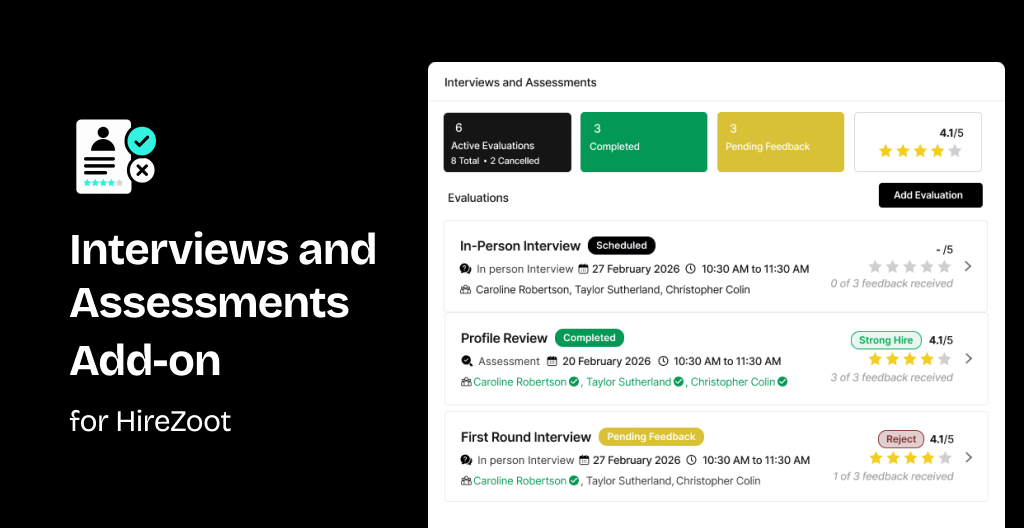
Interviews & Assessments for HireZoot helps you manage candidate interviews, assessments, and evaluator feedback alongside your existing recruitment workflow.
Schedule multiple evaluations for each applicant, assign interviewers, create reusable scorecards, and collect structured feedback to help your team evaluate candidates consistently.
From scheduling the first interview to reviewing scores and recommendations, keep every evaluation connected to the candidate’s job application.
Key Features
Everything You Need to Manage Interviews and Assessments
- Structured Interviews & Assessments
Schedule one or more interviews or assessments for each job application. Manage evaluation details, dates, interview methods, and assigned evaluators from within HireZoot. - Reusable Evaluation Forms
Create reusable scorecards with your own questions and evaluation criteria. Choose from built-in templates or create forms tailored to your recruitment process. - Dedicated Hiring Panelist Role
Give interviewers access to the applications and evaluations assigned to them without granting full recruitment-manager permissions. - Structured Feedback & Recommendations
Let each evaluator rate candidates against defined criteria, add supporting notes, provide an overall rating, and submit a hiring recommendation. - Evaluation Scoreboards
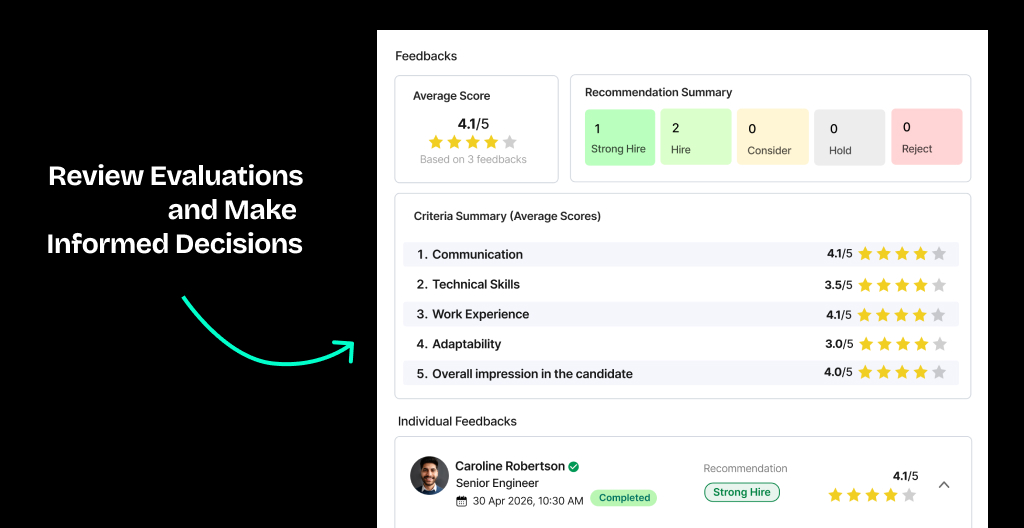
Review evaluation scores, recommendations, criteria-level ratings, and individual panelist feedback to understand how candidates are progressing. - Automated Email Notifications
Configure email templates for scheduling, rescheduling, and cancelling evaluations. Use dynamic template tags to include relevant candidate, job, interview, and evaluator details. - Interview Rescheduling & Cancellation
Manage changes directly from the candidate’s application. Record cancellation reasons and optionally notify the candidate and assigned evaluators. - Feedback Visibility Controls
Choose whether hiring panelists can view each other’s feedback at any time, only after submitting their own, or not at all. - Secure, Role-Based Access
Control access to interview and evaluation information through dedicated capabilities for recruitment managers and hiring panelists. - Seamless HireZoot Integration
Manage interviews and assessments directly from the Job Application screen. Keep evaluations, scores, and feedback connected to the candidate without maintaining a separate interview management system.
Highlights of Interviews & Assessments
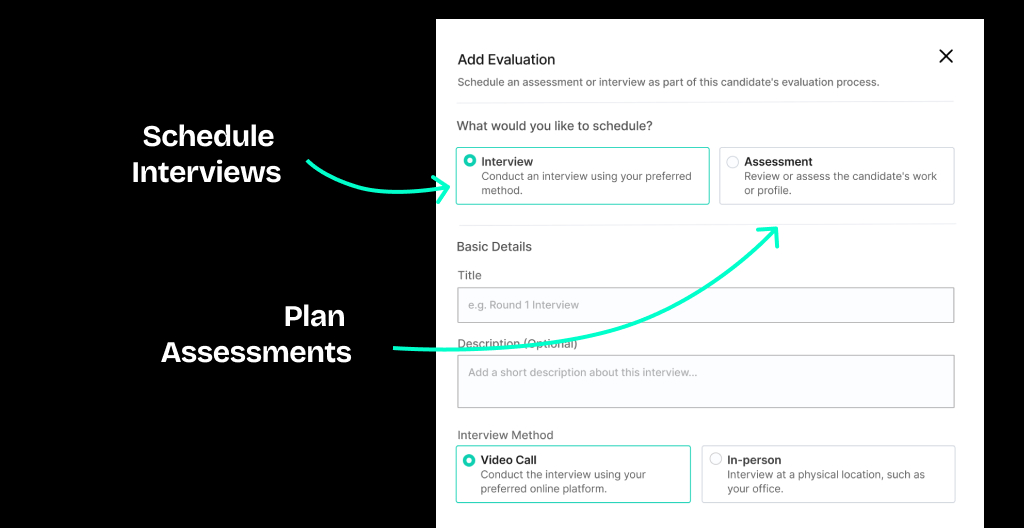
Schedule Multiple Evaluations for Every Candidate
Create multiple interviews and assessments for a single job application. Track each evaluation independently while keeping the complete evaluation history connected to the candidate.
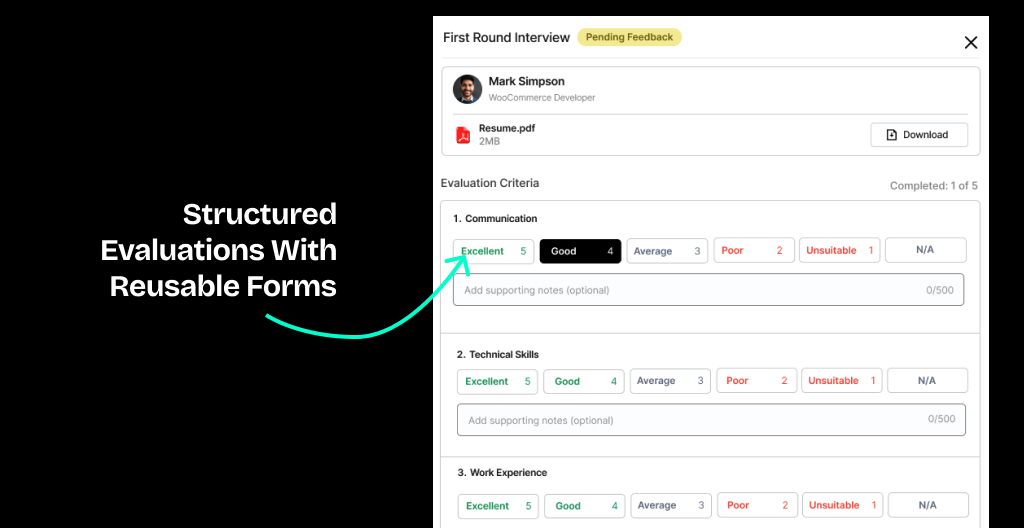
Create Reusable Interview Scorecards
Build evaluation forms once and reuse them across interviews and assessments. Start with the included templates or customize your own evaluation criteria.
Included templates:
- General Interview
- HR / Candidate Fit Interview
- General Assessment
- CV Assessment / Screening
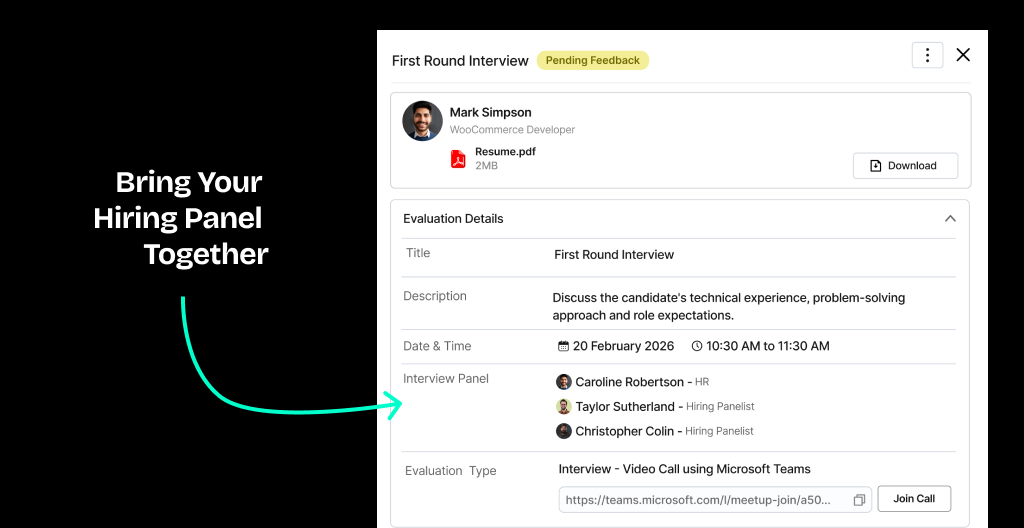
Collaborate with Hiring Panelists
Assign the right evaluators to each interview or assessment. Panelists can access their assigned evaluations and submit their own feedback without needing full recruitment-manager access.
Collect Structured Candidate Feedback
Evaluators can rate individual criteria, add supporting notes, provide an overall rating, and choose a recommendation
Keep Candidates and Evaluators Informed
Send configurable email notifications when evaluations are scheduled, rescheduled, or cancelled. Customize notification templates and use dynamic tags to personalize messages.
Review Scores Across Evaluations
Use the Interviews listing and Scoreboards to review candidate evaluations, scores, recommendations, and submitted feedback.
Manage Interview Changes
Reschedule or cancel evaluations directly from the candidate’s application. Record cancellation reasons and optionally notify the relevant people.
Control Feedback Visibility
Choose how panelists access other evaluators’ feedback with three visibility settings: Always Visible, After Submission, and Hidden.
How It Works
From Scheduling to Candidate Evaluation
1. Schedule an Evaluation
Open a candidate’s job application and create an interview or assessment. Enter the evaluation details, date, time, and other relevant information.
2. Choose an Evaluation Form
Select a reusable scorecard or create custom evaluation criteria for the evaluation.
3. Assign Hiring Panelists
Choose the evaluators responsible for assessing the candidate.
4. Notify the Relevant People
Send email notifications to the candidate and evaluators using your configured templates.
5. Conduct the Interview or Assessment
Run a video interview, an in-person interview, or an assessment.
6. Collect Evaluator Feedback
Assigned panelists submit their ratings, notes, overall evaluation, and hiring recommendation.
7. Review the Results
Recruitment managers can review scores, criteria summaries, individual feedback, and recommendations to inform their hiring decisions.
Supported Interview Methods
Online Interviews
Schedule video interviews using your preferred supported platform:
- Google Meet
- Zoom
- Microsoft Teams
Add the meeting URL and optional joining instructions to the evaluation.
In-Person Interviews
Specify the interview location and keep the details attached to the candidate’s evaluation.
Candidate Assessments
Create assessments to review or evaluate a candidate’s work or profile without scheduling a live interviewWhy Choose Interviews & Assessments for HireZoot?